I remember sitting in my first big engineering sync at a Silicon Valley startup, feeling absolutely mortified because my webcam made me look like I was broadcasting from a dark, damp basement. I spent the entire meeting staring at my own tiny, grainy square, wondering if my colleagues thought I was hiding in a closet. We’ve all been there—staring at a screen, feeling like our digital presence is doing us zero favors. But here’s the thing: you don’t need a professional studio setup or a thousand-dollar ring light to fix it. Learning how to look better on video calls isn’t about buying expensive gear; it’s about making a few smart, tactical adjustments to what you already have around the house.
I’m not here to sell you on some high-end tech overhaul that’ll blow your budget. Instead, I want to share the practical, no-nonsense tweaks I’ve learned from years of navigating the tech world and a bit of DIY experimentation. We’re going to talk about lighting, angles, and simple environmental fixes that actually work. My goal is to give you the confidence to hit that “Join Meeting” button knowing you look polished and professional, without the unnecessary fluff.
Table of Contents
Setting Up Your Professional Webcam Lighting Setup
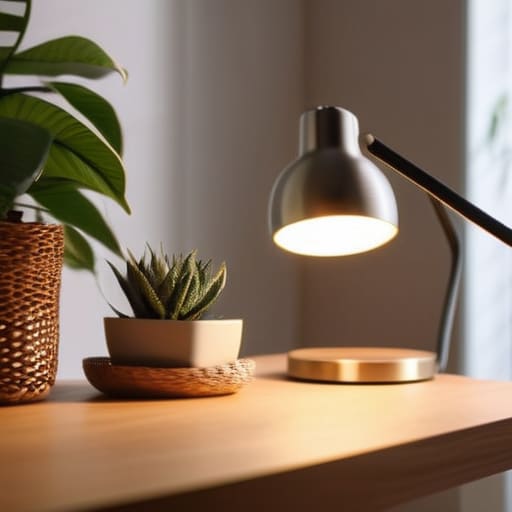
Now, let’s talk about the real game-changer: light. You don’t need a Hollywood studio to look polished, but you do need to stop letting that harsh overhead light turn you into a shadow. The secret to a professional webcam lighting setup is all about direction. If you can, position yourself facing a window. Natural light is incredibly forgiving and makes your skin look way more vibrant than any filter ever could. If you’re working late or in a dark corner, grab a small desk lamp and aim it at the wall behind your monitor rather than directly at your face. This creates a soft, diffused glow that prevents those awkward, heavy shadows under your eyes.
If you want to take it a step further, consider a cheap ring light or even a couple of LED panels. The goal isn’t to blind your coworkers, but to ensure you’re clearly visible. When you have consistent light hitting your face, it actually helps with improving webcam image resolution because your camera doesn’t have to struggle to find contrast in the dark. It makes everything look crisp and intentional.
Finding the Best Camera Angles for Remote Work
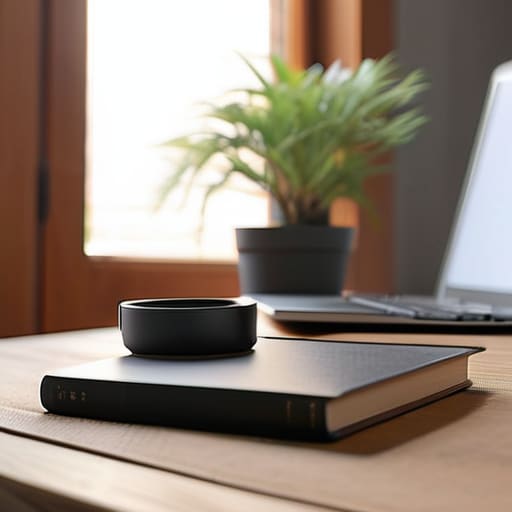
Once you’ve nailed your professional webcam lighting setup, the next thing to tackle is your perspective. I used to make the classic mistake of sitting with my laptop on my lap, which meant my colleagues spent most of our meetings looking straight up my nose. It’s not exactly the professional vibe we’re going for! To find the best camera angles for remote work, try to position your lens at eye level. If you’re using a laptop, just grab a couple of sturdy books or a small wooden riser from your workshop to prop it up. This simple tweak makes your interactions feel much more natural and balanced.
While you’re adjusting your height, take a second to look at what’s behind you. I’m a big fan of minimizing background distractions to keep the focus on the conversation rather than a pile of laundry or a cluttered bookshelf. A clean, intentional backdrop—maybe a simple plant or a piece of your woodworking—goes a long way in building authority. Aim to sit slightly away from the wall to create a bit of depth, which helps you stand out without looking like you’re stuck in a flat, digital box.
Quick Wins for a Polished Presence
- Clean your lens! It sounds silly, but I can’t tell you how many times I’ve sat through a meeting looking “blurry” only to realize my laptop camera was just covered in fingerprints. A quick wipe with a microfiber cloth makes a massive difference in clarity.
- Mind your background clutter. You don’t need a professional studio, but a quick tidy-up of that pile of laundry or those half-finished woodworking projects in the corner helps keep the focus on you, not your mess.
- Dress for the vibe of the meeting. I always aim for “smart casual”—it’s my way of mentally switching from “home mode” to “work mode.” Plus, wearing a color that actually complements your skin tone can make you look way more vibrant on screen.
- Watch your audio quality. You can have the best lighting in the world, but if you sound like you’re underwater, people will tune out. If you can, grab a decent pair of earbuds or a dedicated mic; it makes you sound much more authoritative.
- Practice your “digital eye contact.” It feels weird at first, but try to look directly at the camera lens when you’re speaking rather than at your own face on the screen. It makes your teammates feel like you’re actually engaging with them!
Quick Wins for Your Next Meeting
Don’t overthink the gear—a simple desk lamp placed behind your monitor can do wonders for your lighting more effectively than an expensive, fancy setup.
Aim for eye level to avoid that awkward “looking down at the camera” angle; even propping your laptop up on a couple of sturdy books can make a massive difference in how you present yourself.
Small, intentional tweaks to your environment go a long way in building your professional confidence and making sure your personality actually shines through the screen.
## The Confidence Connection
“At the end of the day, looking good on camera isn’t about having a studio-grade setup; it’s about removing those tiny technical distractions so your actual expertise can take center stage.”
Sarah Mitchell
Bringing It All Together

At the end of the day, looking your best on a video call isn’t about having a studio-grade setup or a fancy new camera. It’s really about those small, intentional tweaks we’ve talked about—getting your lighting right so you don’t look like you’re in a witness protection program, and adjusting your camera angle so you’re looking your colleagues in the eye rather than up their noses. Once you nail down your lighting and find that sweet spot for your camera height, you’ll notice a massive difference in how you carry yourself. It’s all about using the tools you already have to create a professional presence that feels authentic to you.
I know that diving into tech setups or tweaking your home office can feel a bit overwhelming at first, especially when you just want to log on and get to work. But I promise you, these little DIY adjustments pay off in ways that go far beyond just looking “better.” When you feel confident in your digital space, that confidence spills over into your communication and your career growth. So, grab that desk lamp, prop up your laptop on a few books, and start experimenting. You’ve got this, and I can’t wait to see you crush your next big presentation!
Frequently Asked Questions
I've got the lighting and angles down, but what can I do about a messy or distracting background without buying a whole new room?
Honestly, don’t go out and buy a new bookshelf just for this! I used to stress about my cluttered studio, but a few quick fixes work wonders. First, try the “depth trick”—pull your desk a few feet away from the wall so you aren’t plastered against a flat surface. If things are still chaotic, a simple physical room divider or even a tall plant can act as a natural, stylish screen to hide the mess.
Is there a way to make my built-in laptop camera look a bit more professional without spending a fortune on high-end gear?
Honestly, you don’t need a $200 webcam to look great. The biggest secret? It’s all about the light. Grab a cheap desk lamp, point it toward a wall behind your laptop to bounce soft light onto your face, and avoid overhead lights that create those nasty shadows under your eyes. Also, pro tip: prop your laptop up on a stack of old woodworking books to get it at eye level. It’s a total game-changer!
How much does my audio quality actually matter compared to how I look on screen?
Honestly? Audio is actually more important than your video. I’ve been in so many meetings where the person looked like they were filming a cinematic masterpiece, but I couldn’t understand a single word they were saying because of their echoey mic. It’s exhausting! If your video is a little grainy, people can look past it, but if your audio is bad, they’ll tune out. Invest in a decent headset or a simple USB mic—it’s a total game-changer.
