Ever feel like you’re staring at a digital junk drawer every time you boot up your laptop? I’ve been there—sitting in a cramped Silicon Valley cubicle, staring at a screen so cluttered with random screenshots, half-finished code snippets, and “final_v2_REAL_final” files that I actually felt my anxiety spiking before I even typed a single line of code. We’ve been told that mastering how to organize your desktop requires some expensive, high-end productivity suite or a complete overhaul of your entire digital life, but honestly? That’s just more noise.
I’m not here to sell you on a complex system that you’ll abandon by next Tuesday. Instead, I want to share the practical, no-nonsense strategies I’ve honed throughout my years as a software engineer to turn that digital chaos into a workspace that actually works for you. We’re going to focus on small, actionable tweaks that respect your time and your brainpower. By the end of this, you won’t just have a cleaner screen; you’ll have a sustainable workflow that lets you focus on what actually matters: your work and your creativity.
Table of Contents
- Digital Decluttering Techniques to Reclaim Your Mental Space
- Minimizing Computer Distractions for a Flow State
- My Go-To Tactics for a Seamless Digital Workflow
- Quick Wins to Keep Your Digital Workspace Sharp
- The Connection Between Space and Mindset
- Final Thoughts on Your Digital Workspace
- Frequently Asked Questions
Digital Decluttering Techniques to Reclaim Your Mental Space
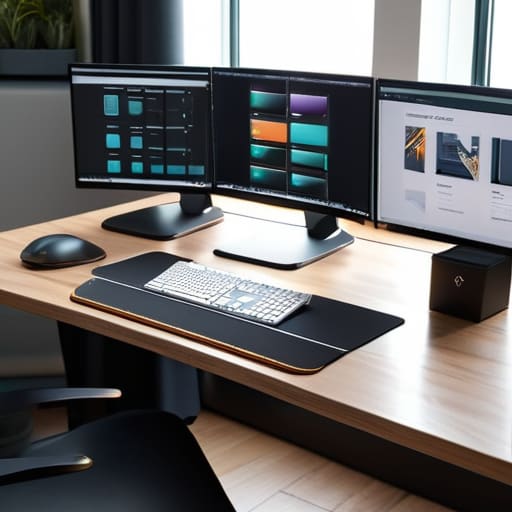
When I first started working in Silicon Valley, my desktop looked like a digital junk drawer—hundreds of random screenshots and “final_v2_REVISED” files scattered everywhere. It was exhausting. To fix this, I started implementing a few digital decluttering techniques that actually stuck. The secret isn’t just moving files around; it’s about creating a logical folder hierarchy structure that mirrors how your brain actually works. Instead of one giant “Work” folder, try breaking things down by project or year. This way, you aren’t hunting through a sea of icons every time you need to find a specific document.
Once you have a system, you need to maintain it without it feeling like a chore. I swear by using efficient file naming conventions to prevent future headaches. Think: `YYYY-MM-DD_ProjectName_Description`. It sounds a bit nerdy, I know, but it’s a total game-changer for searching later. Also, don’t underestimate the power of your environment; swapping a busy, distracting background for a clean desktop wallpaper for productivity can significantly help in minimizing computer distractions when you’re deep in a coding session.
Minimizing Computer Distractions for a Flow State
Once you’ve tackled the visual mess, it’s time to address the mental noise. Even with a clean screen, a single ping from a Slack notification or a flashing email icon can instantly shatter your focus. To really find that “flow state” we all crave, you have to get aggressive about minimizing computer distractions. I’ve found that turning off all non-essential desktop notifications is a total game-changer. If it isn’t a direct message from a human you actually need to talk to right now, it doesn’t deserve to interrupt your deep work session.
I also swear by the “one tab” rule during intense coding or writing sprints. It sounds extreme, but keeping your browser from becoming a graveyard of open tabs is a vital part of maintaining cognitive clarity. If you find yourself constantly hunting for files, it might be time to revisit your folder hierarchy structure. When everything has a logical, predictable home, you spend less time searching and more time actually creating. Think of it like my woodworking shop—if I can’t find my chisel immediately, I lose my momentum. Your digital workspace should work the same way.
My Go-To Tactics for a Seamless Digital Workflow
- Stop treating your desktop like a junk drawer; instead, create a “Current Projects” folder for whatever you’re actively working on this week, and move everything else into an “Archive” folder to clear the visual noise immediately.
- Embrace the power of a minimalist wallpaper—I personally love using a high-res landscape or a solid, calming color because busy patterns just make my eyes wander when I’m trying to focus on code.
- Use a “landing zone” folder for all those random screenshots and downloads that clutter your screen; make it a habit to clear it out every Friday afternoon so you don’t start Monday with a mess.
- Color-code your most essential folders or use custom icons for your main directories, which helps your brain find what it needs through pattern recognition rather than reading every single file name.
- Implement a strict “One-In, One-Out” rule for your desktop shortcuts; if you add a new application or tool to your main view, take a second to remove an old one that’s just taking up precious real estate.
Quick Wins to Keep Your Digital Workspace Sharp
Treat your desktop like a physical workbench—if you aren’t using a tool or a file right this second, file it away or toss it so it doesn’t clutter your headspace.
Set a recurring “digital reset” on your calendar, maybe every Friday afternoon, to clear out those random downloads and temporary files before the weekend hits.
Curate your digital environment by silencing non-essential notifications, ensuring that when you sit down to work, you’re actually in control of your focus.
The Connection Between Space and Mindset
“Just like a cluttered workbench makes it impossible to finish a woodworking project, a messy desktop creates a constant, silent friction in your brain. When you clear that digital clutter, you aren’t just tidying up files—you’re making room for your best ideas to actually breathe.”
Sarah Mitchell
Final Thoughts on Your Digital Workspace
At the end of the day, organizing your desktop isn’t just about making your screen look pretty for a screenshot; it’s about building a foundation for better work. We’ve walked through the heavy lifting of digital decluttering, learned how to categorize those endless files, and explored ways to shut out the noise so you can actually find your flow. By implementing these small, intentional shifts, you’re moving away from that feeling of constant digital overwhelm and toward a system that actually supports your goals. Remember, the goal isn’t perfection—it’s about creating a sustainable workflow that serves you, rather than you serving your clutter.
If I’ve learned anything from my time in software engineering and even my time in the woodshop, it’s that you can’t build something great on a messy foundation. Whether you’re tackling a massive coding project or just trying to manage your daily inbox, your environment dictates your headspace. Don’t feel like you have to overhaul everything in one afternoon; just pick one technique we discussed and start small. You have the tools and the capability to master your technology, not the other way around. I truly believe that once you clear that digital fog, you’ll be amazed at how much more creative and confident you feel in your daily life.
Frequently Asked Questions
I've organized my files, but how do I actually manage all those open browser tabs that are eating up my RAM and focus?
Ugh, the “tab graveyard”—I’ve been there. It’s a total productivity killer. Honestly, the best way to tackle it is to stop treating tabs like a permanent to-do list. I swear by using a tab manager like OneTab to collapse everything into a single list, or just bookmarking “research” folders and closing the session. If you aren’t using it right now, it doesn’t need to be hogging your RAM. Let it go!
Is there a specific way to name my files so I can actually find them later without using the search bar every five minutes?
Honestly, I used to be the queen of naming files “final_v2_REALLY_FINAL.pdf,” and it was a total nightmare. My best tip? Use a consistent “Date-Project-Description” format. Think: `2023-10-24_KitchenRemodel_Blueprints`. If you lead with the date in YYYY-MM-DD format, your computer will automatically sort everything chronologically. It feels a bit rigid at first, but trust me, your future self will thank you when you aren’t hunting through folders for twenty minutes!
How often should I be doing this deep dive into my digital workspace to keep the clutter from creeping back in?
Honestly, I’ve found that a “set it and forget it” approach usually leads back to chaos. I like to treat my digital workspace like my woodworking shop—you wouldn’t leave sawdust everywhere after a project, right? I aim for a quick 10-minute “Friday Reset” to clear my desktop and downloads folder before the weekend. Then, once a month, I do a deeper dive to archive old projects. Consistency beats intensity every single time!
