I was sitting in my workshop last weekend, covered in sawdust from sanding down an old mid-century dresser, when my phone buzzed with a frantic alert. Someone was trying to log into my primary email from halfway across the world. That split second of pure adrenaline—that sinking feeling in your gut—is exactly why I’m so obsessed with digital hygiene. Most people treat security like a chore or some complex IT jargon, but when you’re staring at a “suspicious login” notification, you realize that understanding what is two step verification isn’t just about tech; it’s about peace of mind.
I’m not here to bore you with a lecture on encryption protocols or dump a bunch of academic definitions on your lap. Instead, I want to give you the straight talk on how to actually use these tools to lock down your digital life without making it a massive headache. I’ll walk you through the most practical ways to set it up, the tools I personally trust, and how to make sure you don’t get locked out of your own accounts. Consider this your no-nonsense guide to staying safe online so you can get back to focusing on the things that actually matter.
Table of Contents
Multi Factor Authentication Explained for Your Digital Growth
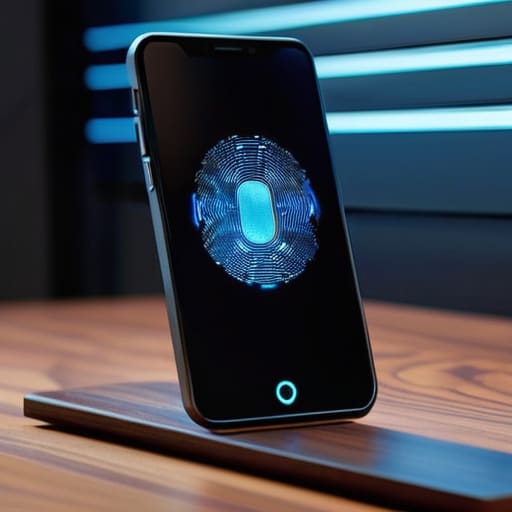
So, let’s dive into the actual mechanics here. When people talk about multi-factor authentication explained in technical circles, they’re essentially describing a “something you know, something you have, and something you are” framework. Think of it like this: your password is the key to your front door, but MFA is that extra deadbolt or the security camera that makes sure only you are actually walking through it. It’s about creating layers so that even if a hacker manages to snag your password, they’re still stuck outside because they don’t have your physical device or your fingerprint.
In my experience, most people start with the basics, like a text message code, but if you really want to level up your account security best practices, I recommend moving toward an authenticator app. There’s a bit of a debate regarding authenticator app vs sms code—and for good reason. SMS can sometimes be intercepted through SIM swapping, whereas an app generates a unique, time-sensitive code right on your phone. If you’re feeling particularly tech-forward, you can even look into hardware keys, which are physical USB devices that act as a foolproof digital handshake.
Protecting Online Accounts From Hackers With Ease
Look, I know the idea of adding extra steps to your login process can feel like a chore, especially when you’re just trying to check your email or finish a project. But when it comes to protecting online accounts from hackers, that tiny bit of extra effort is a total game-changer. Think of it like adding a deadbolt to your front door; it’s not just about the lock itself, but the peace of mind you get knowing you’ve added a layer of defense that a simple stolen password can’t bypass.
When you’re setting things up, you’ll likely run into the classic debate: authenticator app vs sms code. In my experience, while getting a text is better than nothing, using an app is much more secure because it doesn’t rely on your cellular network. If you really want to go pro, you might even look into security tokens and hardware keys, which are basically the gold standard for keeping the bad guys out. It’s all about finding a balance that works for your daily workflow while keeping your digital life tucked away safely.
My Top 5 Pro-Tips for Making 2FA Work for You
- Grab an authenticator app instead of relying on SMS. Text messages can actually be intercepted through something called “SIM swapping,” so using an app like Google Authenticator or Authy adds a much sturdier layer of protection.
- Don’t forget to save your backup codes! When you set up 2FA, most sites give you a list of one-time recovery codes. Print them out or tuck them into that little notebook of mine—if you lose your phone, these codes are your only lifeline to get back into your accounts.
- Mix and match your methods. I like to use hardware keys (like a YubiKey) for my most sensitive stuff, like my primary email or banking, while using app-based codes for my everyday social media. It’s all about matching the security level to the importance of the account.
- Audit your accounts once a month. It’s easy to forget about that old forum or shopping site you haven’t used in years, but those are often the weakest links. If it’s worth keeping the account, it’s worth turning on 2FA.
- Be wary of “push fatigue.” Some services just send a notification to your phone asking you to “Approve” or “Deny.” If you suddenly get a notification when you aren’t trying to log in, hit deny immediately and change your password. It means someone else has your credentials and is knocking on your digital door.
Quick Wins for Your Digital Security
Think of 2FA as your digital safety net; it’s a small, simple habit that provides massive peace of mind while you’re navigating the web.
You don’t need to be a tech wizard to stay safe—most major platforms make setting up extra authentication layers incredibly straightforward.
Prioritize your most important accounts first, like your email and banking, to build a strong foundation of security that grows with you.
## A Simple Mindset Shift
“Think of two-step verification not as another annoying password to remember, but as that extra deadbolt on your front door—it’s the small, proactive step that gives you the peace of mind to focus on building your career and exploring new tech without looking over your shoulder.”
Sarah Mitchell
Taking Control of Your Digital World
At the end of the day, setting up two-step verification isn’t about making your life more complicated or adding extra steps to your morning routine. It’s about building a solid foundation for your digital life. We’ve talked about how multi-factor authentication acts as that crucial second line of defense and how it can keep hackers at bay with minimal effort on your part. By taking just a few minutes to enable these features on your most important accounts—like your email, banking, and social media—you are essentially locking your digital front door and ensuring that a simple password leak doesn’t turn into a total catastrophe. It is one of the single most effective habits you can adopt to stay secure.
I know that technology can sometimes feel overwhelming, especially when it feels like the goalposts are always moving. But I want you to remember that every small step you take toward learning a new skill or securing your data is a massive win for your personal growth. Think of this as much like my woodworking projects; you don’t start by building a complex dining table, you start by learning how to sand a piece of wood properly. Embrace these small, manageable changes. Once you get the hang of these security basics, you’ll find you have much more peace of mind to focus on what really matters—exploring new tech and leveling up your career without looking over your shoulder.
Frequently Asked Questions
Does using two-step verification make logging into my accounts take way too much time?
I get it—when you’re in a flow, the last thing you want is a digital speed bump. But honestly? The extra five to ten seconds it takes to tap a notification or enter a code is a tiny trade-off for the peace of mind it gives you. It’s like double-checking that your workshop door is locked before you head out; it feels like a momentary pause, but it saves you from a massive headache later.
What happens if I lose my phone or can't access my authentication app?
It’s the nightmare scenario we all dread, right? I’ve definitely had that momentary panic myself. If you lose your phone, your backup codes are your absolute lifeline—this is why I always tell people to print them out and tuck them away in a physical spot, like my woodworking shop. If you don’t have those, you’ll have to go through account recovery, which can be a bit of a headache, but most services have a way to verify your identity.
Is there a difference between getting a text code and using an authenticator app?
That’s a great question, and honestly, one I get asked a lot. Think of it this way: text codes (SMS) are convenient because they’re easy, but they can be intercepted if someone hijacks your phone number. Authenticator apps are a step up—they generate codes locally on your device, making them much more secure and reliable even if you don’t have cell service. If you’re looking to level up your security, I’d definitely go with the app.
