I was hunched over my kitchen table last Sunday, surrounded by a chaotic sea of utility bills, tax forms, and those mysterious medical receipts that always seem to appear out of nowhere. Between the smell of sawdust from my latest woodworking project in the garage and the mounting anxiety of a cluttered desk, I realized I was hitting a wall. I’ve spent years optimizing code and streamlining workflows in the tech world, yet I still found myself paralyzed by the simple question of how to organize paperwork in my own home. It’s that overwhelming feeling of losing control over the small, physical details of your life that really gets to you.
I’m not here to sell you on some expensive, color-coded filing system that requires a PhD to maintain. Instead, I want to share the practical, tech-forward strategies I actually use to keep my life from spiraling into paper chaos. We’re going to look at how to blend smart digital tools with simple physical habits to create a system that actually works for your real, busy life. No fluff, no unnecessary spending—just straightforward advice to help you reclaim your space and your sanity.
Table of Contents
- Essential Document Checklist to Reclaim Your Mental Space
- Smart Paperwork Decluttering Tips for Every Busy Professional
- My Go-To Strategies for Keeping the Paper Chaos at Bay
- Quick Wins to Keep Your Paperwork in Check
- Finding Clarity in the Chaos
- Taming the Paperwork Chaos
- Frequently Asked Questions
Essential Document Checklist to Reclaim Your Mental Space

Before you start diving into the actual sorting process, you need a roadmap. It’s easy to get overwhelmed when you’re staring at a stack of mail and old tax returns, but having an essential document checklist acts like a blueprint for a woodworking project—it keeps you from getting lost in the details. Start by categorizing everything into three buckets: “Vital” (birth certificates, social security cards, property deeds), “Active” (current bills, ongoing medical records, or employment contracts), and “Archive” (old tax filings or past school transcripts).
Once you’ve identified what actually matters, you can start applying some serious paperwork decluttering tips to clear the noise. I always tell my coaching clients that mental clarity starts with physical order. If a document doesn’t fall into one of those three categories, it’s likely just clutter that’s stealing your focus. By separating the “must-haves” from the “nice-to-haves” early on, you’ll find that sorting important documents becomes much less of a chore and much more of a satisfying win for your productivity.
Smart Paperwork Decluttering Tips for Every Busy Professional
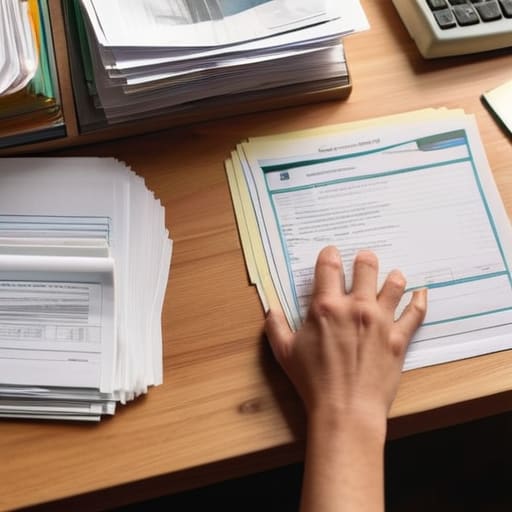
Once you’ve got your checklist ready, the next step is actually tackling the pile without feeling totally overwhelmed. My best piece of advice? Don’t try to do it all in one marathon session. Instead, try the “one drawer at a time” method. When I’m working on a woodworking project, I never try to finish the whole piece in a single afternoon; I break it down into manageable steps. You should do the same with your files. Start by sorting important documents into three quick piles: Keep, Shred, and Scan. This prevents that decision fatigue that usually hits about twenty minutes into a cleaning session.
For those of us juggling heavy workloads, I’m a huge advocate for digitalizing paper records as soon as possible. Honestly, physical filing cabinet organization can feel so archaic and clunky. By using a high-quality scanner or even just a mobile scanning app, you can move your most-referenced files into a secure cloud system. This way, you aren’t digging through dusty folders when you’re in the middle of a deadline; you just search for a keyword and boom, there it is.
My Go-To Strategies for Keeping the Paper Chaos at Bay
- Go digital whenever you can. I’ve found that scanning receipts or utility bills using a simple mobile app saves so much physical space. Once it’s in a searchable cloud folder, you can toss the paper and breathe easy.
- Set up a “landing strip” near your front door. Instead of letting mail pile up on the kitchen counter, have one dedicated tray where everything goes the second you walk in. It keeps the mess contained to one tiny spot.
- Use the “One-Touch Rule” for incoming mail. When you pick up a piece of paper, decide right then: file it, shred it, or act on it. Avoid the temptation to just move it from the table to a chair—that’s how the mountain grows!
- Invest in a decent filing system that actually makes sense to you. Whether it’s color-coded folders or simple labeled binders, don’t overcomplicate it. If it’s too hard to use, you won’t use it, and we’ll be right back where we started.
- Schedule a monthly “paperwork reset.” Just like I set aside time for my woodworking projects, I block out thirty minutes once a month to clear out the junk drawer and update my digital files. It prevents the clutter from ever feeling overwhelming again.
Quick Wins to Keep Your Paperwork in Check
Start small by tackling just one category at a time—like your tax docs or medical records—so you don’t get overwhelmed and give up halfway through.
Lean on digital tools like mobile scanning apps to turn that physical clutter into searchable PDFs, making it way easier to find what you need when you actually need it.
Set up a simple “one-in, one-out” rule for your filing system to prevent new mail from turning into a fresh mountain of chaos the moment you finish decluttering.
Finding Clarity in the Chaos
“Think of organizing your paperwork less like a chore and more like debugging a messy codebase; once you clear out the noise and set up a solid system, everything else in your life just starts running a whole lot smoother.”
Sarah Mitchell
Taming the Paperwork Chaos

At the end of the day, organizing your paperwork isn’t just about finding a neat place for your tax returns or utility bills; it’s about reclaiming the mental bandwidth that those piles of paper have been stealing from you. We’ve covered everything from building a solid essential document checklist to implementing smart, tech-driven decluttering systems that work with your busy schedule rather than against it. Remember, you don’t have to tackle the entire mountain in one afternoon. Start by digitizing just one category or setting up a single filing system, and before you know it, that overwhelming sense of “paperwork dread” will start to fade away.
I know that when you’re staring at a desk buried under mail and old receipts, it can feel like a losing battle, but I promise you it’s winnable. Think of this process like one of my woodworking projects—it might look like a mess of scrap wood and sawdust at first, but with a little bit of intentionality and the right tools, you can build something incredibly functional and beautiful. Embrace the learning curve, don’t be afraid to experiment with different apps or physical organizers, and most importantly, give yourself some grace. You’ve totally got this!
Frequently Asked Questions
What are your favorite apps or software tools for scanning and digitizing physical documents so I don't have to keep everything in paper form?
I’m a huge fan of Adobe Scan because it’s incredibly reliable for turning messy photos into crisp, searchable PDFs—perfect for when I’m working on a project and need to digitize a manual quickly. If you’re looking for something seamless, Microsoft Lens is a lifesaver for syncing straight to your OneDrive. Honestly, even the built-in Notes app on iPhone works wonders! Just grab your phone, scan, and let the cloud do the heavy lifting.
How do I decide what's actually worth saving for the long term versus what I can safely shred or toss?
This is the hardest part, isn’t it? The “keep or toss” dilemma is where most people get stuck. I always use a simple rule of thumb: if it’s for taxes, legal identity, or property, keep it. If it’s a receipt for something bought over a year ago (that isn’t a warranty!), it can probably go. When in doubt, scan it! A digital backup takes up zero physical space and gives you that peace of mind.
I'm feeling pretty overwhelmed—where is the absolute best place to start if I only have 15 minutes a day to work on this?
I totally hear you—when you’re staring at a mountain of paper, even fifteen minutes can feel intimidating. If you’re short on time, don’t try to tackle the whole desk. Instead, pick one “micro-zone,” like your junk drawer or just your incoming mail pile. Spend those 15 minutes purely on sorting: trash, shred, or file. It’s all about building that momentum. Trust me, those small wins add up way faster than you think!
