I was hunched over my desk last Tuesday, squinting at a stubborn bug in my code, when I realized I couldn’t even remember the last time I’d actually looked at something that wasn’t a backlit pixel. My head was throbbing, my eyes felt like they were filled with sand, and I found myself scrolling through endless forums looking for a miracle cure. Honestly, I’m so tired of the “must-have” blue light glasses that cost a fortune but do nothing, or the overly complicated medical jargon that makes you feel like you need a PhD just to understand how to reduce eye strain from screens. We don’t need expensive gadgets; we just need common sense and a few practical adjustments to our environment.
In this post, I’m skipping the hype and getting straight to the point with the exact methods I use to stay productive without the dreaded end-of-day headache. I’ve distilled my experience as a software engineer into a few no-nonsense, actionable tweaks—from workspace ergonomics to simple habit shifts—that actually work in the real world. My goal isn’t to sell you a product, but to give you the tools to master your digital workspace so you can keep building, creating, and learning without the physical burnout.
Table of Contents
Recognizing Computer Vision Syndrome Symptoms Early
It’s easy to brush off a little bit of eye fatigue as “just part of the job,” especially when you’re deep in a coding sprint or mid-way through a massive project. But I’ve learned the hard way that ignoring those early warning signs can lead to a much bigger burnout. You might notice your eyes feeling gritty, like there’s a bit of sand in them, or perhaps you’re getting those annoying tension headaches by 3:00 PM. These are classic computer vision syndrome symptoms that your body is using to tell you something is off.
Pay close attention to how your vision shifts throughout the day. If you find yourself squinting to read lines of code or if things seem a bit blurry when you finally look up from your monitor, your eyes are likely working overtime. I’ve also noticed that preventing dry eyes from digital devices becomes much harder when you start subconsciously forgetting to blink during intense focus sessions. Catching these subtle cues early—before they turn into a full-blown migraine—is the absolute best way to keep your productivity high and your workspace feeling comfortable.
Perfecting Your Ergonomic Workstation Setup
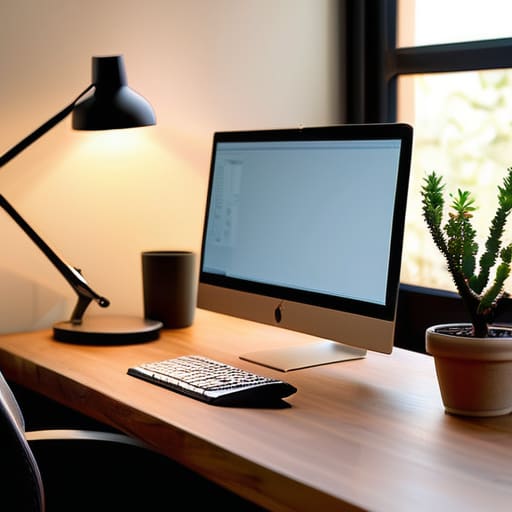
Once you’ve identified those pesky symptoms, it’s time to look at your physical environment. I’ve learned the hard way through years of late-night coding sessions that a messy or poorly configured desk is a recipe for disaster. A proper ergonomic workstation setup starts with your monitor placement; ideally, the top of your screen should be at or slightly below eye level, about an arm’s length away. If you’re constantly leaning forward or craning your neck, you’re going to feel it by 3:00 PM.
Beyond just posture, don’t overlook the lighting in your room. I used to work in a dim corner, which only made things worse, but I found that adjusting screen brightness and contrast to match your ambient light makes a world of difference. You want your monitor to feel like a natural extension of the room, not a glowing flashlight in a dark cave. Also, if you find yourself blinking less while focusing, consider a small desk humidifier to help with preventing dry eyes from digital devices. It’s these little, practical tweaks that keep your workspace feeling sustainable rather than draining.
Small Tweaks for Big Relief: My Go-To Habits for Screen Time
- Embrace the 20-20-20 Rule. This is a total game-changer for me. Every 20 minutes, look at something at least 20 feet away for at least 20 seconds. It gives your eye muscles a much-needed break from that intense, close-up focus we maintain while coding or scrolling.
- Dial in Your Lighting. There’s nothing worse than fighting glare from a window or a harsh overhead light. Try to balance the brightness of your screen with the ambient light in your room. If your workspace feels like a cave or a spotlight, your eyes are going to pay the price.
- Optimize Your Display Settings. Don’t just settle for the default. I always make sure my text size is large enough that I’m not leaning in to read, and I use “Night Shift” or similar blue light filters in the evening. It makes the screen feel a lot softer and less aggressive on the eyes.
- Remember to Actually Blink. It sounds silly, but when we’re deep in a flow state—whether I’m debugging a tricky script or working on a new woodworking design—we tend to blink way less often. This dries out your eyes fast. I try to keep a bottle of preservative-free eye drops at my desk just in case.
- Use High-Quality Matte Screen Protectors. If you’re dealing with a lot of reflections, a matte screen protector can be a lifesaver. It diffuses the light and cuts down on that distracting glare, making your digital workspace feel much more comfortable and easy on the eyes.
Quick Wins for Your Vision
Keep an eye out for those early warning signs like dryness or headaches so you can adjust your habits before they turn into a real problem.
Invest some time in your physical setup; a well-adjusted chair and monitor height make a massive difference in how your eyes feel by 5 PM.
Don’t just power through the discomfort—treat your eye health as a vital part of your productivity toolkit by building in intentional breaks.
## A Mindset Shift for Digital Wellness
“We often treat our eyes like they’re indestructible tools, but they’re actually more like delicate instruments; if you wouldn’t run a high-end woodworking tool without maintenance, don’t expect your vision to thrive without intentional breaks and a little bit of care.”
Sarah Mitchell
Finding Your Digital Balance

At the end of the day, protecting your vision isn’t about making massive, sweeping changes to your entire life; it’s about those small, intentional shifts in your daily routine. Whether it’s finally setting up that ergonomic workstation we talked about, being more mindful of your blink rate, or strictly following the 20-20-20 rule, every little bit helps. Remember, catching those early symptoms of Computer Vision Syndrome is half the battle. If you stay proactive and treat your workspace with a bit of care, you can keep your tech-driven workflow feeling effortless and sustainable rather than exhausting.
I know how easy it is to get lost in the “flow state”—especially when you’re deep into a coding project or a new DIY design—and completely forget that your body needs a break. But I promise you, taking five minutes to step away from the glow of the monitor won’t slow down your progress; it will actually fuel it. Technology is such an incredible tool for building the lives we want, and I want you to be able to enjoy it for years to come. So, grab your notebook, take a breather, and remember that mastering your digital environment is a skill that pays dividends in your long-term health and happiness.
Frequently Asked Questions
Are blue light glasses actually worth the investment, or is it all just marketing hype?
Honestly, I get asked this all the time. If you’re looking for a magic fix, you might be disappointed. For most of us, the real culprits are just staring too long without blinking or adjusting our screen brightness. While some people swear by them for reducing glare, I think your money is better spent on high-quality blue light filters for your devices or simply sticking to the 20-20-20 rule. Don’t let the hype distract you from better habits!
How often should I actually be taking breaks, and is there a specific technique like the 20-20-20 rule that really works?
Honestly, I used to power through my coding sprints for hours without looking up, but my eyes would pay for it by 5 PM. The 20-20-20 rule is a total lifesaver: every 20 minutes, look at something 20 feet away for at least 20 seconds. It sounds simple, but it actually resets your focus. I also find that stepping away for a quick five-minute stretch every hour keeps my energy—and my vision—way sharper.
Can certain types of lighting in my home office make my eye strain worse, even if my monitor setup is perfect?
Absolutely. You can have the most ergonomic chair and monitor in the world, but if your lighting is off, your eyes are still going to pay the price. Harsh overhead lights or even direct sunlight hitting your screen can create a nasty glare that forces your eyes to work overtime. I’ve learned the hard way that soft, indirect ambient light is your best friend—it keeps the contrast manageable so your eyes don’t feel like they’re constantly fighting a battle.
