I remember sitting on the floor of my first tiny apartment in San Francisco, surrounded by tangled charging cables, a half-finished woodworking project, and a laptop that was overheating so badly I could feel it through my jeans. I was trying to debug a stubborn piece of code while my “desk”—which was really just a wobbly folding table—kept dipping every time I leaned on it. It was in that moment of pure, unadulterated frustration that I realized most advice on how to build a productive workspace is completely disconnected from reality. You don’t need a $2,000 ergonomic throne or a minimalist setup that looks like a sterile laboratory to get things done; you just need a space that doesn’t actively fight against you every time you try to focus.
In this post, I’m skipping the expensive aesthetic trends and getting straight to the grit. I’m going to share the actual, battle-tested methods I’ve used to design setups that work for both deep-focus coding sessions and messy DIY afternoons. We’re going to talk about practical ergonomics, smart tech integration, and a few low-cost DIY hacks to make your environment actually fuel your flow. No fluff, no sponsored gear lists—just real-world strategies to help you build a space that works as hard as you do.
Table of Contents
Smart Ergonomic Office Setup Tips for All Day Comfort
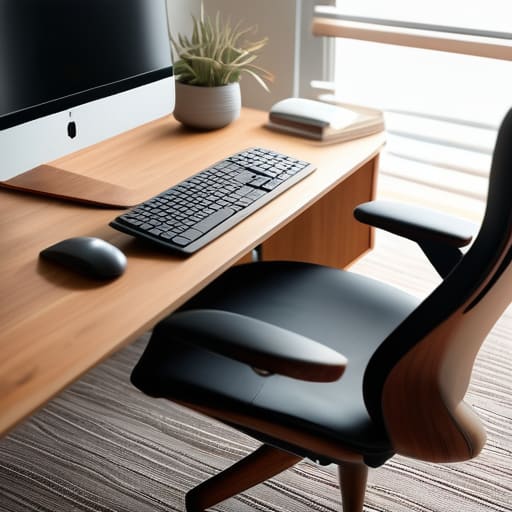
We’ve all been there—that mid-afternoon slump where your lower back starts aching and your neck feels like it’s made of lead. Most people think productivity is just about willpower, but honestly, it’s much harder to focus when your body is in constant discomfort. When I was first setting up my home office in Silicon Valley, I spent way too much money on flashy gadgets before realizing that the basics of ergonomic office setup tips are what actually matter. You want your monitor at eye level so you aren’t hunching like a gargoyle, and your feet should be flat on the floor. If your chair doesn’t support your lumbar, invest in a decent cushion rather than just powering through the pain.
It’s also about how you interact with your physical surroundings. I’ve found that small tweaks, like adjusting your monitor’s position to reduce glare, make a massive difference in eye strain. Beyond the chair and desk, think about your essential desk accessories for productivity, like a wrist rest or a vertical mouse. These aren’t just luxuries; they are tools that help you stay in the zone for longer stretches without feeling physically drained by the end of the day.
Essential Desk Accessories for Productivity and Flow
Once you’ve nailed your chair and desk height, it’s time to look at the smaller tools that actually keep your momentum going. I’ve learned the hard way that a cluttered surface is a direct ticket to a cluttered mind. Instead of just buying whatever looks cool on a tech influencer’s desk, focus on workspace organization hacks that serve a purpose. I’m a huge fan of using cable management trays or even just some simple Velcro ties to get those tangled wires off the floor and out of sight. When you aren’t constantly tripping over a charging cable, you’re much better at minimizing desk distractions and staying in the zone.
I also can’t stress enough how much a dedicated notebook or a high-quality desk mat can change your flow. I still carry my little sketchbook everywhere, but having a dedicated spot for quick scribbles right next to my keyboard helps me capture ideas without breaking my coding rhythm. Think of these as your essential desk accessories for productivity—they aren’t just “stuff,” they are tools to help you transition from a state of chaos to a state of deep, uninterrupted focus.
Small Tweaks for a Big Impact: My Top 5 Workspace Hacks
- Curate your digital environment just like your physical one. I’ve learned the hard way that a desktop cluttered with random screenshots is just as distracting as a messy desk, so I make it a habit to clear my files and close unnecessary tabs every Friday afternoon.
- Bring a little life into the room with some greenery. I’m a huge believer in the “biophilia” effect—adding a few low-maintenance plants like a snake plant or a pothos doesn’t just look great in photos; it actually makes the air feel fresher and the space less clinical.
- Master your lighting to avoid that mid-afternoon eye strain. If you can, position your desk near natural light, but avoid having a window directly behind you to prevent glare on your monitor; a simple, warm-toned desk lamp can be a total game-changer for evening deep-work sessions.
- Use the “One-In, One-Out” rule for your tech gear. It’s so easy to let cables, dongles, and half-finished DIY projects pile up, but I try to keep my surface area clear by ensuring that for every new gadget I bring to my desk, something else gets tucked away in a drawer.
- Personalize your space without the clutter. I love using a small piece of my woodworking to act as a monitor riser or a phone stand; it adds a tactile, human element to a high-tech setup and reminds me of the joy of actually building things with my hands.
Quick Wins for Your New Setup
Don’t overcomplicate it—start with ergonomics like a decent chair and monitor height to save your back before you go overboard on fancy gadgets.
Curate your desk accessories so they actually serve a purpose; if a piece of tech doesn’t help you find your flow, it’s just more clutter to manage.
Treat your workspace like a DIY project that evolves; keep tweaking your layout and tools as you learn what actually helps you stay focused.
The Heart of Your Setup
“Your workspace shouldn’t just be a place where you sit and grind; it should be a curated environment that actually works with your brain, not against it. Whether you’re debugging a complex script or sanding down a piece of reclaimed oak, your setup should fuel your flow, not fight it.”
Sarah Mitchell
Your Space, Your Rules
At the end of the day, building a productive workspace isn’t about buying every shiny new gadget on the market or having a desk that looks like a sterile showroom. It’s about the small, intentional choices—from getting your chair height just right to choosing accessories that actually remove friction from your workflow. Whether you’re investing in ergonomic upgrades to save your back or DIY-ing a custom monitor stand from some scrap wood, the goal is to create an environment that supports your body and your brain. Remember, a setup that works for you is one that minimizes distractions and maximizes your ability to get into that sweet, uninterrupted flow state.
Don’t feel like you have to overhaul everything overnight. I know from my own experience in the thick of Silicon Valley sprints that sometimes the best way to start is with one small change, like tidying your cables or adding a single plant to brighten the mood. Your workspace should be a living, breathing part of your life that evolves as you do. Treat your setup like a long-term project—one that you can tinker with and refine as your career and interests grow. You’ve got the tools and the vision; now, go out there and build a space that makes you genuinely excited to log in every single morning.
Frequently Asked Questions
I have a really small apartment—how can I build a functional workspace without it taking over my entire living area?
I totally get it—living in a small apartment means your “office” often ends up being your dining table or a corner of your bedroom. I’ve been there! My best advice is to think vertically. Use wall-mounted shelving or a floating desk to save precious floor space. If you can, grab a foldable workstation or a rolling cart that you can tuck away when the workday ends. It’s all about creating boundaries so your home still feels like a home.
How do I figure out if I should invest in a high-end ergonomic chair or if a budget-friendly option is actually decent enough for long coding sessions?
Honestly, it comes down to your “sit time” and your back’s history. If you’re grinding through ten-hour coding marathons, I’d say save up for the high-end ergonomic chair—the adjustable lumbar and seat depth are game-changers for long-term spinal health. But, if you’re still finding your rhythm and only coding a few hours a day, a solid mid-range option is plenty. Don’t overspend early; just prioritize adjustability over aesthetics.
I struggle with staying focused once I'm at my desk; are there specific tech tools or lighting setups that actually help with deep work and minimizing distractions?
I totally get that—I used to spend more time staring at my monitor than actually coding. For deep work, I swear by smart lighting; try a monitor light bar to reduce eye strain and use warm, dimmable lamps to signal to your brain that it’s “focus time.” Tech-wise, noise-canceling headphones are a non-negotiable. If you’re on a Mac, try using “Focus Modes” to silence everything but the essentials. It’s all about building those sensory cues!
