I remember sitting in my tiny dorm room at Berkeley, staring at a mountain of textbooks and feeling completely overwhelmed by how much I still had to master. It’s easy to feel like you’re constantly playing catch-up, especially when the tech landscape shifts every single week. We all want to grow, but finding the time to actually dive deep into a new subject can feel like a second full-time job. That’s why I’ve spent so much time scouring the App Store to find the best apps for learning that actually respect your schedule. Instead of getting lost in a sea of useless distractions, you need tools that turn those small pockets of downtime—like your morning commute or a coffee break—into genuine moments of growth.
In this post, I’m breaking down five specific tools that have personally helped me sharpen my coding skills and stay curious about the world. I won’t waste your time with fluff; I’m sharing the exact apps that I believe offer the most bang for your buck in terms of actual skill retention. By the time you finish reading, you’ll have a personalized toolkit ready to help you level up your life from the palm of your hand.
Table of Contents
Master the Logic with Duolingo

I’ve always been a huge believer that learning a new language is one of the best ways to keep your brain sharp, and Duolingo makes it feel less like a chore and more like a daily ritual. Whether you’re prepping for a trip or just want to challenge your cognitive flexibility, the gamified approach is surprisingly addictive. It’s perfect for those of us who only have ten minutes to spare during a coffee break or while waiting for a meeting to start.
Deep Dives via Coursera

When I was back at Berkeley, I lived for deep dives into specific subjects, and Coursera is the closest thing you can get to that academic rigor right from your couch. This isn’t just about casual browsing; it’s about taking structured courses from actual world-class universities and industry leaders. If you’re looking to pivot your career or add a heavy-hitting credential to your LinkedIn profile, this is where you want to be.
Code Your Way to Freedom with Mimo
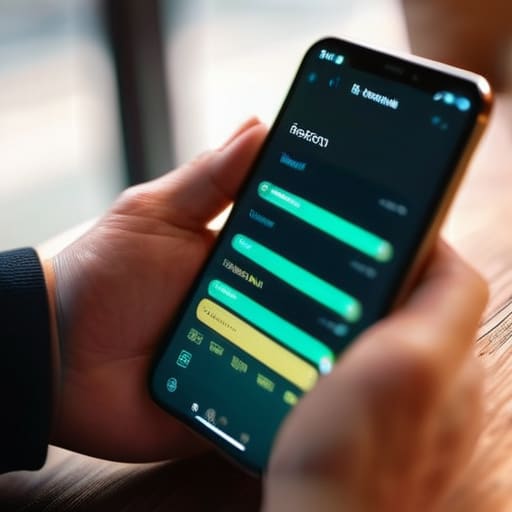
As a software engineer, I can tell you firsthand that the barrier to entry for coding can feel intimidating, but Mimo changes that narrative completely. It takes the intimidating world of syntax and logic and turns it into something that feels almost tactile and intuitive. It’s a fantastic way to dip your toes into Python or HTML without needing to set up a complex development environment on your laptop right away.
Stay Curious with Brilliant
If you’re the type of person who loves to understand the “why” behind how things work, you are going to obsess over Brilliant. Instead of just memorantly reciting formulas, this app uses interactive problem-solving to teach concepts in math, science, and computer science. It forces you to actually think through the logic, which is a total game-changer for developing true analytical skills.
Expand Your Horizons with MasterClass
Sometimes, learning isn’t about a hard skill like coding; it’s about absorbing the wisdom and craft of people who have already mastered their field. MasterClass is my go-to when I want to feel inspired and see how high-level creativity works in practice. Watching a world-renowned chef or a legendary filmmaker talk about their process is like getting a front-row seat to a masterclass in life.
Final Thoughts: Making These Tools Work for You
Don’t feel like you have to download everything at once; pick one app that aligns with your current goal and give it a real shot for a week.
Remember that the app is just a tool, not a magic wand—consistency in your daily routine is what actually turns these resources into real-world skills.
Use your downtime—like a commute or a quick coffee break—to squeeze in some learning so it feels like a natural part of your day rather than a chore.
My Take on Continuous Learning
“At the end of the day, the best tool isn’t the one with the fanciest interface; it’s the one that actually gets you off the couch and into a flow state where you’re finally building something new.”
Sarah Mitchell
Ready to Start Your Next Chapter?
Whether you’re diving into a new coding language with a dedicated platform or just trying to pick up a few more Spanish phrases during your morning commute, the tools we talked about today prove that knowledge is truly at your fingertips. From structured courses that feel like a digital classroom to quick-fire skill builders that fit into your lunch break, there is an app out there tailored to your specific learning style. The key isn’t about downloading every single one of these; it’s about picking the one or two that actually align with your goals and making them a consistent part of your daily routine.
At the end of the day, I want you to remember that the most important part of this process isn’t the software itself, but the curiosity you bring to it. Technology can provide the roadmap, but you are the one doing the driving. Don’t let the fear of a steep learning curve hold you back from trying something new—whether that’s a technical skill for your career or a creative hobby like woodworking. Grab your notebook, pick an app, and just start. You’ll be surprised at how much you can achieve when you simply embrace the process of constant growth.
Frequently Asked Questions
Are there any specific apps you'd recommend if I'm working with a really tight budget?
Oh, I totally get that. When I was first starting out, my bank account definitely wasn’t exactly “Silicon Valley” status! If you’re watching your spending, I’d highly recommend leaning into Duolingo for languages or Khan Academy for basically anything academic—they are both incredible and completely free. Also, don’t sleep on YouTube; it’s the ultimate free classroom if you know how to search for the right tutorials. You don’t need a huge budget to grow.
How do you actually find the time to fit these learning apps into a busy 9-to-5 schedule?
Honestly, I used to struggle with this too until I stopped treating “learning” like a separate chore. I’ve found that the secret is “micro-learning.” Instead of carving out an hour, I use my commute for podcasts or squeeze in a quick Duolingo session while my coffee brews. I also treat my lunch break like a mini-retreat—just twenty minutes of focused reading. It’s about finding those tiny gaps in your day and reclaiming them.
For someone starting from zero, which of these apps has the gentlest learning curve?
If you’re starting from absolute zero, I’d definitely point you toward Duolingo. I’ve used it myself when I wanted to pick up the basics of a new language without feeling overwhelmed. It feels more like a game than a study session, which is huge for keeping that initial momentum going. The lessons are bite-sized and super intuitive, so you won’t feel like you’re hitting a wall right out of the gate.
