I remember sitting at my kitchen table three years ago, surrounded by half-finished woodworking projects and a cold cup of coffee, staring blankly at a screen while my laundry hummed in the background. I had all the “must-have” ergonomic gadgets and the latest project management apps, but my productivity working from home was still absolute garbage. It felt like I was constantly running a marathon on a treadmill—lots of effort, but I wasn’t actually going anywhere. I realized then that the polished, aesthetic “home office” setups you see on Instagram are often a total lie that just adds more clutter to your mental load.
I’m not here to sell you on a $500 productivity planner or tell you that waking up at 4:00 AM is the secret to success. Instead, I want to share the actual systems that helped me transition from a burnt-out engineer to someone who actually enjoys their remote setup. We’re going to dive into some practical tech tweaks and realistic daily habits that respect your time and your sanity. My goal is to give you a toolkit of no-nonsense strategies that you can start using today to reclaim your focus and finally get things done without losing your mind.
Table of Contents
Elevating Your Ergonomic Home Office Setup
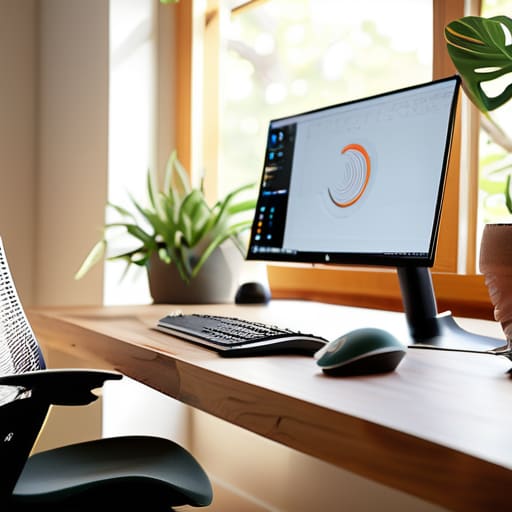
Let’s talk about the physical side of things, because if your back is aching by 2 PM, no amount of fancy scheduling apps is going to save your focus. I learned this the hard way during my first year working remotely—I thought sitting on my old dining chair was fine, but my spine quickly disagreed. Investing in a solid ergonomic home office setup isn’t just about buying an expensive chair; it’s about positioning your monitor at eye level and making sure your wrists aren’t constantly strained. When your body feels supported, your brain can actually settle into a flow state instead of constantly signaling discomfort.
I also love applying my woodworking mindset here: it’s all about the custom fit. If you can’t afford a high-end standing desk right away, try using a stack of sturdy books to elevate your laptop. Small, intentional tweaks to your physical environment go a long way in supporting your digital wellness for telecommuters. By creating a space that feels intentional and physically comfortable, you’re sending a signal to your brain that it’s time to get to work, making it much easier to stay locked in.
Smart Remote Work Time Management Hacks

Once you’ve got your physical space dialed in, the next hurdle is mastering your clock. I used to struggle so much with the “blur” effect—where work bleeds into dinner time and suddenly it’s 9 PM and I’m still answering Slack messages. To combat this, I highly recommend establishing work-life boundaries through a structured daily routine for remote employees. Even something as simple as a “fake commute”—like a fifteen-minute walk or a specific coffee ritual—can signal to your brain that the workday has officially begun.
Another game-changer for me has been implementing time-blocking paired with strict digital wellness for telecommuters. Instead of reacting to every ping, I set specific windows for deep work and dedicated periods for checking emails. This is huge for minimizing home distractions, especially when the laundry is calling your name or the TV is right there. By treating your schedule with the same respect you’d give an in-person office setting, you’ll find you actually get more done in fewer hours, leaving you plenty of time to get back to your actual hobbies.
Tech Tools and Boundaries to Keep Your Sanity Intact
- Audit your digital workspace by silencing non-essential notifications. I’ve learned the hard way that a random Slack ping or a news alert can shatter my deep-work flow in seconds. Use “Do Not Disturb” modes religiously during your peak focus hours.
- Build a “digital commute” to signal to your brain that the workday has started. Since I don’t have a drive through the Silicon Valley traffic anymore, I spend fifteen minutes reading a tech blog or sketching a new woodworking design before I even open my laptop. It creates that much-needed mental boundary.
- Leverage project management tools to get those tasks out of your head and into a system. Whether it’s Trello, Notion, or even a simple old-school notebook, seeing your progress visually prevents that overwhelming feeling of “where do I even start?”
- Set hard “log-off” times to prevent burnout. When your office is also your living room, it’s way too easy to keep checking emails at 9 PM. I make it a rule to physically close my laptop and put it away—out of sight, out of mind.
- Use automation to handle the repetitive stuff. If you find yourself doing the same manual data entry or file organization every day, spend an hour learning a bit of Python or using a tool like Zapier. It’s a small upfront investment that pays massive dividends in reclaimed time.
Quick Wins for Your Remote Work Routine
Don’t underestimate the power of a physical boundary; even if it’s just a specific chair or a dedicated desk, separating your “work mode” from your “home mode” is a total game-changer for your mental clarity.
Audit your digital toolkit regularly to ensure your software is actually serving you rather than becoming another distraction that eats up your focus.
Remember that productivity isn’t about grinding for eight hours straight—it’s about building sustainable habits that allow you to crush your goals without burning out by Wednesday.
Finding Your Flow
“Productivity isn’t about squeezing every single second out of your day; it’s about building a setup and a routine that actually works with your brain, not against it.”
Sarah Mitchell
Final Thoughts on Finding Your Flow
At the end of the day, mastering remote work isn’t about achieving some impossible standard of perfection; it’s about finding the specific rhythm that works for your unique lifestyle. We’ve talked through everything from optimizing your physical space with better ergonomics to leveraging smart tech tools and time management strategies that actually stick. Remember, whether you’re tweaking your desk setup or experimenting with new productivity apps, the goal is to reduce friction in your daily routine. It’s all about building a sustainable system where your tools and your habits work for you, rather than against you.
I know that transitioning to a home office can feel overwhelming at times—I’ve definitely had those days where my focus felt as splintered as a piece of reclaimed wood. But please, don’t be too hard on yourself if you don’t get it all figured out by Monday morning. Career growth and personal efficiency are long games, much like a complex woodworking project that requires patience and a few rounds of sanding. Keep experimenting, stay curious, and most importantly, be kind to yourself as you navigate this journey. You’ve totally got this, and I can’t wait to hear how these small changes start to transform your workday.
Frequently Asked Questions
How can I stay motivated and focused when my laundry or the dishes are staring me down from across the room?
Ugh, I feel this in my soul. I’ve definitely been mid-code with a mountain of laundry staring me down. My trick? The “Micro-Task Sprint.” Tell yourself you’ll only tackle the dishes for exactly five minutes once you hit a natural stopping point in your work. Usually, once the momentum starts, it’s easier to finish. Or, if you’re really stuck, use a “transition ritual”—like a quick stretch or grabbing a fresh tea—to mentally reset before diving back in.
What are some budget-friendly tech upgrades that actually make a difference in my daily workflow?
Honestly, you don’t need a massive budget to level up. I always tell my clients to start with the basics: a decent external mouse and a mechanical keyboard. They feel so much better on your wrists than a laptop trackpad. I also swear by a cheap USB-C hub to clear the cable clutter, and maybe a second-hand monitor from a local marketplace. These small tweaks make a massive difference in your daily flow.
How do I set healthy boundaries with my family or roommates so they know when I'm actually "at work" and not just hanging out?
This is such a common struggle, especially if you’re sharing space with people who don’t “get” the remote life. I’ve found that visual cues are total lifesavers. Try using a physical signal—like a closed door, wearing noise-canceling headphones, or even a little “on air” sign on your desk. Most importantly, have a quick, honest chat with them. Explain that when that sign is up, you’re officially “at the office” and unavailable for quick chats.
